

Not sure which product fits your deployment?
Contact SalesNot sure which connectivity solution fits your deployment?
Contact SalesLearn how Kajeet can support connectivity in your organization.
Contact SalesLooking for guidance on your connectivity strategy?
Talk to Us
Written By: Ashley Samuels
Last Updated: November 13, 2026 06:42 PM
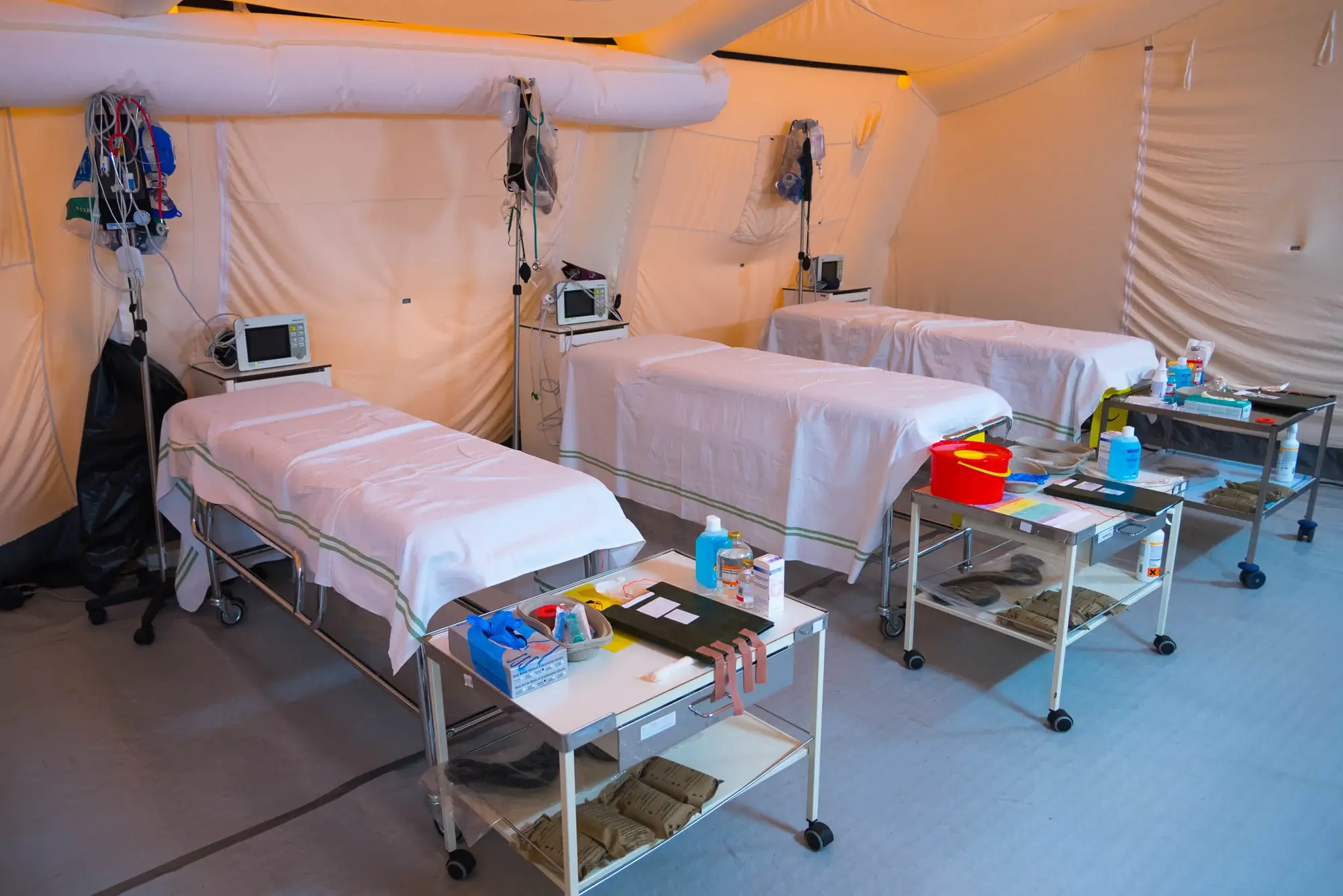
Emergency medical site connectivity gives a temporary clinic a network path to its approved clinical applications and remote care teams. Kajeet’s Mobile Network Kit combines a 5G router, a secure VPN, power accessories and Sentinel management, and it depends on usable cellular service. Clinic IT teams get the most from it by testing workloads, access controls, power and downtime procedures before relying on it.
Kajeet’s Mobile Network Kit is portable networking for temporary care sites such as pop-up and mobile health clinics. It supplies connectivity, while the EHR, telehealth service and clinical decision support come from the clinic’s own systems. Network readiness and clinical readiness are two separate checks.
A good start is the clinic’s approved applications and authorized devices, followed by confirming that staff can reach each required system from the deployment site itself. Kajeet’s healthcare connectivity solutions cover managed LTE and 5G for connected care beyond temporary sites.
Connectivity moves information, while interoperability decides whether two systems can exchange and use it. Suitability and compliance for an application come from the healthcare organization’s own review. In 2021, Kajeet and RCN Technologies provided LTE-backed Wi-Fi for remote vaccination sites, a use case similar to today’s field clinics, with a different kit than the current one.
Field-clinic connectivity carries the applications that run together, so a realistic load is the right test. Measuring the available connection under that load, and deciding which workflows must keep working when capacity drops, sets the plan.
| Workload | What drives demand | How to test |
|---|---|---|
| EHR and record access | Concurrent logins, record size | Open charts on several devices at once |
| Scheduling | Short, frequent requests | Run a full appointment block |
| Video visits | Sustained two-way video | Hold simultaneous consultations |
| Diagnostic images | Large uploads | Upload sample files during other traffic |
Video and image transfers are the first to strain a shared cellular connection, so application owners set acceptable performance and test their own software. Transfer time depends on the cellular connection at the site.
The kit creates a local network, while external access depends on usable cellular backhaul. Working Wi-Fi inside the clinic covers the local network, while reaching remote applications is confirmed separately.
Kajeet’s kit uses a 5G router with Wi-Fi 6 and four Gigabit Ethernet ports. The exact router, carrier access and plan being ordered are worth confirming, and placement is tested on site, including inside tents and temporary structures.
The kit includes a battery rated for up to 10 hours, antennas, cables, a rugged case and AC and DC power cords. Runtime is worth validating under expected conditions, with power for laptops, tablets and clinical devices budgeted separately.
Network controls should match the clinic’s approved access design. The ordered configuration shows what controls are included, and the full application path from device to server is then tested.
Kajeet’s kit page lists a secure VPN with no public IPs, managed in Sentinel. Approved devices and the administrator of access are identified, then any private addressing or separation of clinical from non-essential traffic the design needs is validated.
The kit includes Sentinel for device and data management, with a dashboard for devices, data, security policies and reporting. It helps to decide who holds administrative permissions. Sentinel gives visibility and control over the kit’s devices and data, while traffic priority on the carrier network is a separate matter.
HIPAA compliance for a clinical workflow comes from the covered healthcare organization and its service relationships, with connectivity hardware as one component.
HHS telehealth guidance states that telehealth services from covered providers and health plans must comply with the HIPAA Rules, and that vendors for remote communication tools are expected to sign business associate agreements. Security and compliance owners are best brought into the review of the full workflow, including whether any connectivity service falls under such an agreement.
Endpoint access, application encryption and how staff handle patient information all deserve review. A private network path works alongside secure applications, managed devices and private clinical conversations. A separate record of the evidence for each requirement helps, since a VPN is one control among several.
Emergency response connectivity needs a recovery plan for both network and application failures. A recovery plan names who can tell the two apart and which clinical workflows staff use while service is out.
Clinical leaders define the approved downtime procedures. IT keeps the application, connectivity and hardware escalation contacts, including who updates the care team during an incident.
Realistic failures are worth exercising before deployment: loss of backhaul, exhausted power and an unavailable application. Each needs its own fix.
These are worth agreeing before ordering, with the deployed configuration tested on site:
Field-clinic connectivity works best as a tested combination of network access, approved applications, suitable controls and accountable people. Validating the actual site and workload and preparing downtime procedures before the first patient arrives completes the plan. To start a configuration discussion, review Mobile Network Kit deployment options with Kajeet.
It provides networking and management access, and the clinic supplies and approves its own clinical applications, endpoints and telehealth services.
Only for tasks that stay on the local network. Any remote clinical application needs a working external connection beyond the kit.
A VPN can be one control in an approved design, while compliance also covers applications, devices, agreements and organizational practices.
The up-to-10-hour rating applies to the kit, so power for laptops, tablets and other clinical equipment is planned separately.
Clinical, IT and security owners together. They should agree on application suitability, network configuration, patient-data handling and downtime procedures before operational use.

Ashley leads the marketing organization at Kajeet, bringing deep expertise in demand generation, brand strategy, and marketing operations to the wireless technology space. When she isn't deep in go-to-market strategy, you can usually find her wrangling a bustling household in the D.C. area and volunteering in the local community.