





How to Evaluate Library Wi-Fi Vendors in 2026: A Practical Buyer’s Guide
Public libraries are no longer experimenting with connectivity. They are operating real digital access programs that support job searches, telehealth visits, homework, online learning, benefits enrollment, and everyday participation in modern life.
Nearly half of U.S. public libraries—46.9%—offered hotspots for checkout in the latest national Public Library Technology Survey published by the Public Library Association. That growth has changed the buying question. The issue is no longer simply, “Which vendor can sell us hotspots?” It is, “Which provider can help us run a reliable, secure, sustainable connectivity program?”
The best library Wi-Fi vendor in 2026 fits your service model, proves coverage where patrons actually use the service, gives staff practical management tools, protects patron privacy, and makes the full cost clear before you sign.
This guide explains how to evaluate those capabilities without relying on a ranked vendor list.
Already running a lending program? Pair this procurement guide with seven practical steps for managing a library hotspot program.
Start by Defining the Library Wi-Fi Program You Need
“Library Wi-Fi” can describe several very different services. Before comparing providers, define the program you are buying for:
- In-building public Wi-Fi: Internet access inside the library or around its exterior
- Hotspot lending: Portable cellular hotspots patrons can check out and use at home
- Connected-device lending: Laptops or tablets with embedded cellular connectivity
- Bookmobile and outreach connectivity: Internet access for mobile branches, pop-up services, events, and community programs
- Backup connectivity: Cellular service that keeps circulation systems, staff operations, or public access online during a wired outage
A provider that performs well in one category may not be the right fit for another. Ask vendors to respond to your actual operating model—not a generic “Wi-Fi solution” brief.
Eight Criteria for Evaluating Library Wi-Fi Vendors
1. Coverage Where Patrons Will Use the Service
A carrier coverage map is a starting point, not proof. Coverage can vary by neighborhood, building type, terrain, and even the room where a patron places a hotspot.
Ask each provider:
- Which cellular networks are available for our service area?
- Can we select different networks for different devices or branches?
- Will you evaluate coverage using a sample of real patron locations?
- What happens if a device has weak service after deployment?
- Can we change networks without replacing the entire fleet?
For multi-branch and rural systems, access to more than one carrier can reduce coverage gaps. Confirm exactly how that flexibility works. “Multi-carrier” may mean a choice at activation, centralized management of devices across multiple carriers, or dynamic switching. Those are not the same capability.
2. Hardware Fit and Lifecycle Support
The cheapest hotspot is not a bargain if batteries fail, chargers disappear, or replacement units take weeks to arrive.
Evaluate:
- LTE and 5G compatibility
- Battery life under normal patron use
- Number of devices that can connect at once
- Wi-Fi standards and security options
- Durability and ease of use
- Included cases, chargers, labels, and instructions
- Warranty and replacement process
- Expected hardware lifecycle and network compatibility
Ask the vendor to provide the exact device model before the pilot. Test the same hardware patrons will receive—not a premium demonstration unit that vanishes after the sales call.
3. Centralized Device and Connectivity Management
Once a library has dozens or hundreds of connected devices, spreadsheets and carrier portals become a second job nobody applied for.
A useful management platform should let authorized staff:
- See device status and cellular data usage
- Organize devices by branch, program, or patron group
- Activate, suspend, and restore service remotely
- Set usage thresholds or policy controls
- Receive alerts for unusual usage or device issues
- Export reports without waiting on the provider
- Assign role-based access for different staff members
Ask for a live platform demonstration using realistic library workflows. Have the vendor show how a staff member finds an overdue device, suspends service, reviews usage, and generates a branch-level report. A slide with a dashboard screenshot is not a demo. It is décor.
4. Security, Filtering, and Patron Privacy
Libraries have to balance internet safety, open access, security, and intellectual freedom. The right solution should support library policy without forcing every patron and program into the same configuration.
Evaluate whether the provider offers:
- Configurable web filtering and firewall controls
- Different policies for youth, adult, education, or general-use programs
- Malware and malicious-site protection
- Secure administrator access and role-based permissions
- Audit logs for administrative actions
- Clear data retention and privacy practices
- A process for disabling filters for lawful adult use when required by policy
The Children’s Internet Protection Act, or CIPA, applies to libraries that receive certain E-Rate support. The FCC requires covered libraries to adopt an internet safety policy and use technology protection measures, but it does not require libraries to track or retain patrons’ browsing histories. Ask providers to explain what their tools enable, what data they collect, how long they retain it, and who can access it.
No product makes a library compliant on its own. Technology should support the library’s policy, documentation, and governance—not replace them.
5. Program Setup and Ongoing Support
Library staff should not have to become cellular network engineers to run a lending program.
Compare the operational support included with each offer:
- Preconfiguration and activation
- Device kitting, labeling, and patron instructions
- Staff onboarding and training
- Technical support hours and escalation paths
- Replacement-device turnaround times
- Help with coverage problems and carrier coordination
- Multilingual or accessible patron materials
- Support for program expansion and seasonal changes
Also clarify whether patrons contact the vendor or the library when something goes wrong. If every password reset and signal question lands at the circulation desk, include that staff time in the program's real cost.
6. Transparent Pricing and Total Cost
Compare total program cost—not just the advertised monthly data rate.
Request a line-item quote covering:
- Hardware and accessories
- Cellular service and data allowances
- Activation or setup fees
- Management-platform fees
- Shipping and replacement costs
- Technical support
- Taxes and regulatory fees
- Overage, throttling, or high-usage policies
- Minimum quantities and contract length
- Seasonal suspension or month-to-month options
- Early termination and renewal terms
“Unlimited” should be defined in writing. Ask whether speed reductions, network-management thresholds, or other restrictions apply. A predictable plan with clear terms may be more sustainable than a lower headline price wrapped in mystery fees.
7. Reporting That Helps Prove Impact
Libraries often need evidence to protect budgets, support grant reporting, brief boards, and decide how to distribute devices across branches.
Look for reporting that answers practical questions:
- How many devices are active and being used?
- Which branches or programs have the highest demand?
- Are devices sitting idle or regularly reaching their data thresholds?
- How does usage change during summer, school breaks, or workforce initiatives?
- Can you schedule and export reports in common formats?
The goal is program insight, not surveillance. Useful reporting should help staff understand device and service performance without collecting more patron information than the library needs.
Integration, Scalability, and Exit Flexibility
The solution should work for the program you have today and the one you may operate two years from now.
Ask whether the provider can:
- Support multiple branches and distinct staff roles
- Add hotspots, connected laptops, vehicles, or backup routers under one program
- Integrate with an integrated library system or circulation workflow
- Provide APIs or exports for internal reporting
- Move devices between branches or programs
- Scale service up or down without punitive fees
- Provide usable program data if the contract ends
Exit terms matter. Your library should understand what happens to devices, SIMs, management access, and historical reports at the end of the agreement.
Pilot Before You Purchase at Scale
A short pilot can expose problems that look invisible in a proposal.
For a useful test:
- Deploy the exact proposed hardware on every carrier option being considered.
- Test across a representative mix of neighborhoods, including rural areas, apartment buildings, and known weak-signal locations.
- Include circulation, IT, and program staff in the evaluation.
- Measure setup time, connection reliability, battery performance, support response, staff workload, and ease of reporting.
- Test remote suspension, reactivation, and policy changes.
- Document pilot results using the same scorecard that will be used for procurement.
A vendor should define success criteria before the pilot begins. “It connected once in the conference room” is not a production test.
The Kajeet Difference: Sentinel®
Many providers can sell library hotspots and data plans. Kajeet’s stronger distinction is Sentinel: the operational layer that gives library teams direct visibility and control across their connected-device program.
With Sentinel, authorized staff can manage practical day-to-day workflows from one platform:
- See the fleet clearly: View connection status and data usage, assign recognizable device names, and organize them by branch, program, device type, or user group.
- Control service remotely: Suspend or restore a device’s connectivity without waiting for a carrier support queue—especially useful when a hotspot is lost or overdue.
- Apply program policies: Configure content-filtering and usage policies for different library programs, including programs serving children and students.
- Catch issues earlier: Use alerts and usage thresholds to identify unusual activity, approaching limits, or devices that may need attention.
- Report on the program: Review and export usage information that can help with inventory allocation, budgeting, board updates, and funding reports.
- Scale across locations: Manage supported devices across multiple branches or program groups without maintaining a separate operational process for every site.
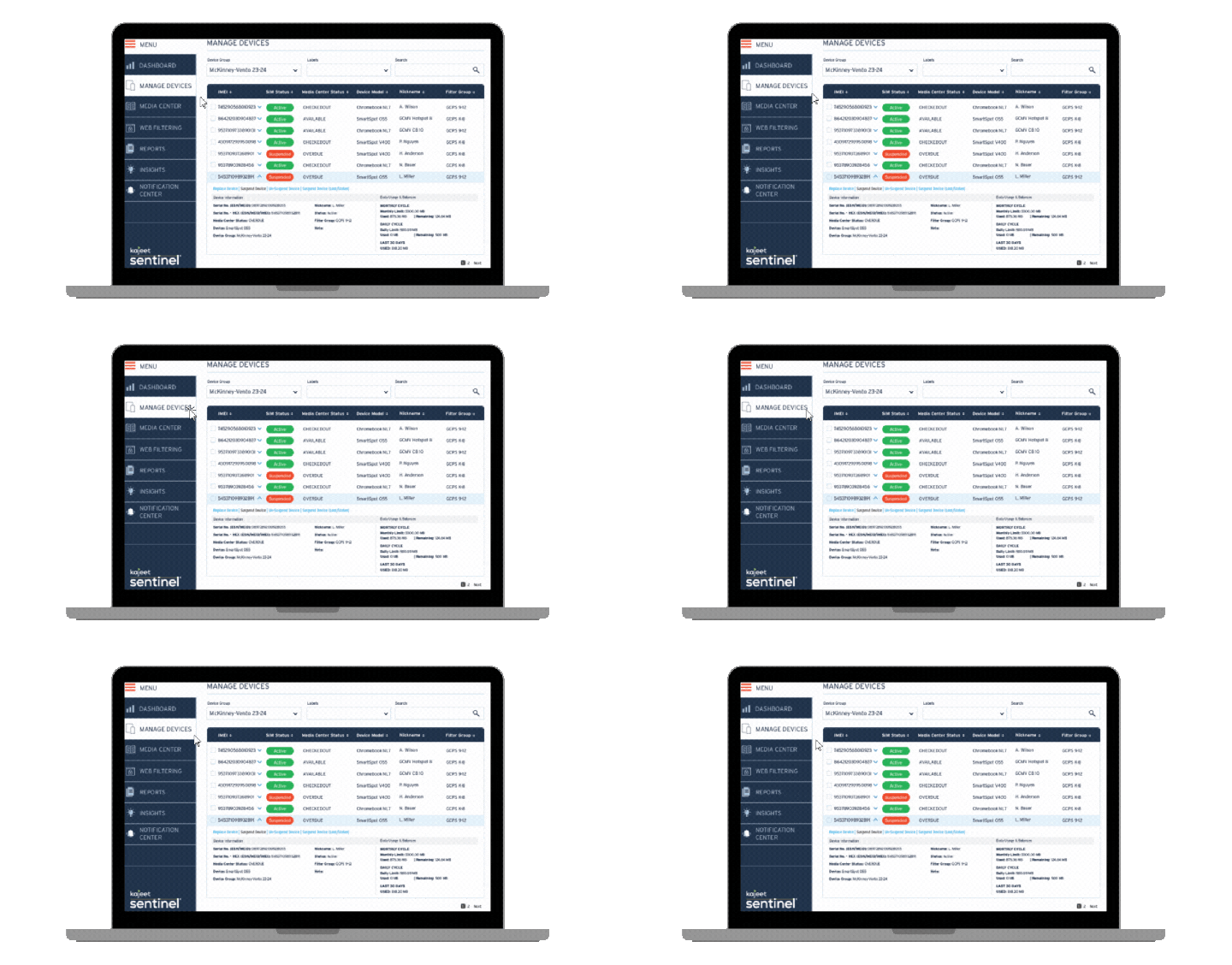
Sentinel turns connectivity from a box-and-data purchase into a manageable library service. Staff do not have to reconcile a hotspot inventory against one carrier portal, a filtering product, a separate reporting tool, and a spreadsheet that has somehow become mission-critical infrastructure.
Kajeet supports that platform with program design, multi-carrier options based on local coverage, preconfigured SmartSpot® devices, implementation guidance, and ongoing support. SmartSpot devices can arrive activated and ready to circulate with a carrying case, charger, and instructions. Connected Communities plans currently start as low as $8.50 per device per month for qualifying configurations, with final pricing based on program requirements and quote details.
The advantage is operational: hardware, connectivity, management, policies, reporting, and support can be designed as one library program instead of assembled from disconnected consumer services.
Talk with Kajeet about your library’s connectivity goals.
Frequently Asked Questions
What should a library look for in a Wi-Fi hotspot vendor?
Prioritize verified local coverage, centralized device management, transparent service terms, security and filtering options, responsive support, useful reporting, and a clear hardware lifecycle plan. Compare the total operating cost, not only the monthly data price.
Should a library choose a single-carrier or multi-carrier solution?
It depends on local coverage. A single carrier may work well in a compact service area, while multi-carrier options can help systems serving varied neighborhoods or rural communities. Test with real devices in representative locations before making a fleet-wide decision.
Do library hotspots need content filtering?
That depends on the library’s funding, policies, and program audience. Libraries receiving certain E-Rate support must comply with CIPA requirements. Other libraries may still choose filtering or security controls for youth programs, malware protection, or data management. The configuration should reflect library policy and applicable legal requirements.
How can libraries control lost or overdue hotspots?
Choose a platform that allows authorized staff to suspend and restore connectivity remotely. Pair that capability with clear loan agreements, replacement policies, patron communications, and circulation procedures.
What makes Kajeet different from a standard carrier hotspot plan?
A standard carrier plan primarily provides hardware and cellular data. Kajeet adds Sentinel, which gives authorized library staff centralized device organization, service controls, usage visibility, policy management, alerts, and reporting across supported devices and programs. Kajeet also offers multi-carrier options, preconfiguration, program support, and library-focused implementation services.
How should libraries compare “unlimited” hotspot plans?
Ask each provider to disclose any high-usage thresholds, speed reductions, prohibited uses, overage fees, and network-management practices in writing. Then compare the complete cost of hardware, data, management, support, shipping, and replacement—not just the advertised monthly rate.





.png)