


Not sure which product fits your deployment?
Contact SalesNot sure which connectivity solution fits your deployment?
Contact SalesLearn how Kajeet can support connectivity in your organization.
Contact SalesLooking for guidance on your connectivity strategy?
Talk to Us

Written By: Ashley Samuels
Last Updated: November 13, 2026 06:42 PM
Disaster recovery wireless gives shelter residents a way to message family and reach assistance services, as long as usable cellular service remains. Kajeet’s Mobile Network Kit packs a 5G router, a battery rated up to 10 hours and Sentinel management into one case, and it supports up to 100 users. Separate staff access, planned charging and a fallback that works when the internet is down round out the plan.
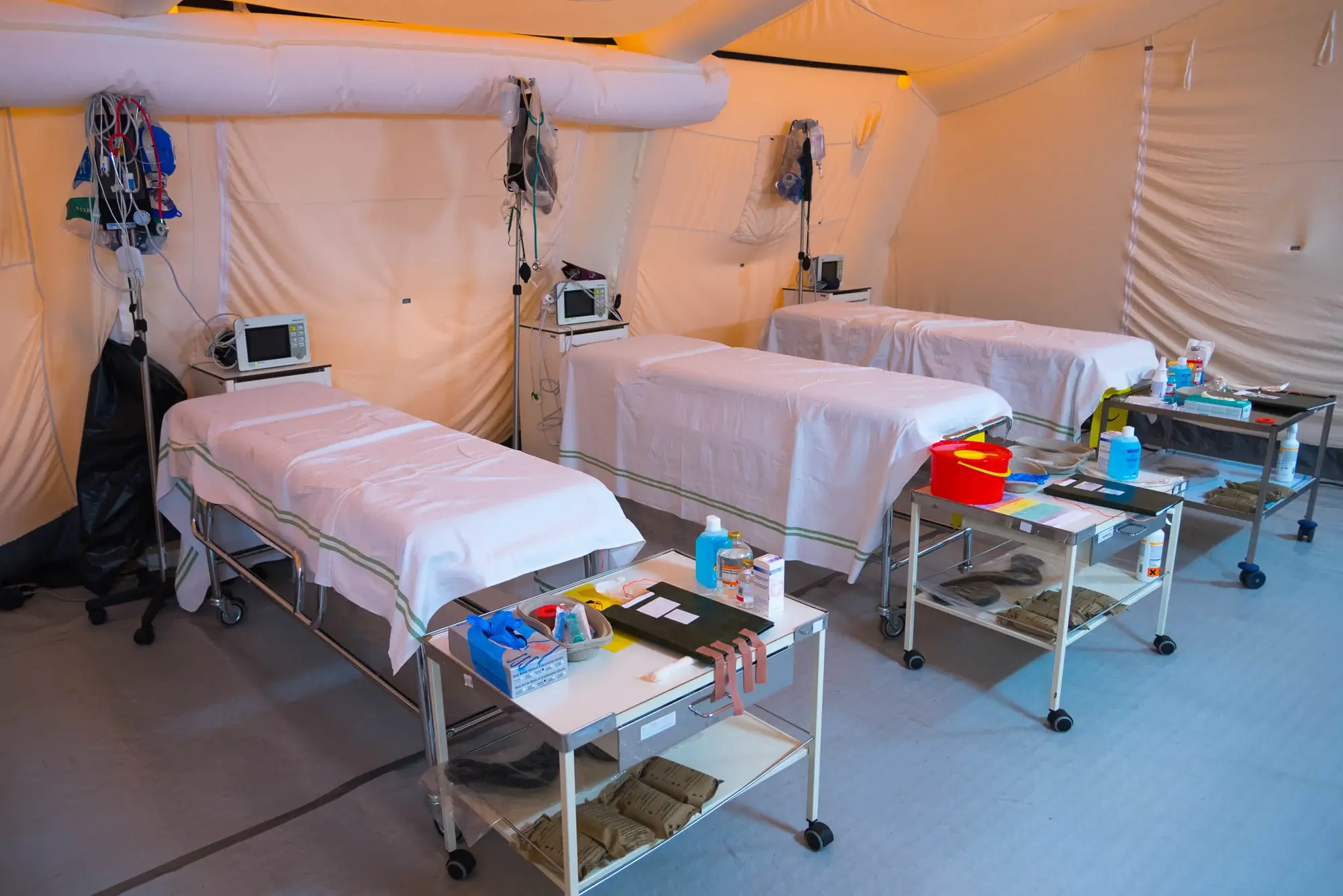
Temporary internet access lets residents reach family, benefit applications, insurance portals and public updates without borrowing the staff network. The Mobile Network Kit delivers disaster recovery WiFi wherever it can reach a cellular signal: a gymnasium, a parking lot or a tent. It arrives activated and provisioned, so volunteers can bring up access without IT staff.
Family messaging comes first, followed by assistance applications, insurance portals and official public information. Disaster recovery internet access supports those tasks, while benefits decisions and family reunifications move at the pace of the agencies involved, which is worth stating on the signage.
Residents get their own Wi-Fi, while sensitive casework stays on approved staff systems. Case files are protected by network separation and access controls, so it’s worth having IT confirm how staff devices connect before the hub opens. Kajeet’s guide to nonprofit mobile Wi-Fi programs covers the community-service side of lending and event hotspots.
One kit is rated for up to 100 users, and the shared cellular connection decides what those users can do at once. The 100 describes the number of devices the router can hold, with simultaneous video calls depending on the cellular connection.
Wi-Fi links residents’ phones to the router, while cellular carries traffic beyond it. A phone can show full Wi-Fi bars while every site stays unreachable because the cellular connection is congested or down. When residents report that they are connected but nothing loads, the cellular side is the first place to look.
The router works best where residents gather, tested with the tasks people actually do: messaging, form uploads and logins. Retesting as occupancy grows keeps the picture current, and a site that needs more than one kit can carry gets a second kit.
Disaster communication technologies work best when matched to the failure they address. The kit’s battery keeps the router running through a power outage, while cellular service comes from the carrier networks.
The kit includes an FAA-compliant battery rated for up to 10 hours, antennas, a rugged case and AC and DC power cords. Ten hours is a ceiling, while testing runtime in your conditions shows what to expect. Residents’ phones need their own charging stations, budgeted separately from the router.
An approved non-internet channel for residents, such as a staffed help desk, printed notices or a radio bulletin from the emergency operations center, keeps information flowing. During congestion, text messages generally go through when voice calls struggle, so texting first is a good tip to share with residents.
The kit includes access to Sentinel, which tracks devices, filters data and reports on usage from one dashboard. It helps to decide before deployment who watches that dashboard and who can change settings.
Kajeet advertises CIPA-compliant filtering with the kit. CIPA is a rule for schools and libraries, so a shelter sets its filtering by its own policy, approved by the operator and checked against what is configured on the unit ordered. Kajeet’s kit page lists filtering and leaves per-user data limits and time-of-day rules unmentioned, so it’s worth asking before planning around them.
A short acceptable-use policy and joining steps in plain language help residents get connected. Collecting as little personal information as possible keeps privacy intact, and passwords and application details stay with the resident when staff help them connect.
Mission-critical wireless coverage during disasters is best verified at your site, since a plan name says little about local conditions. When comparing companies providing mission-critical wireless coverage during disasters, it’s worth asking each for four things in writing: coverage at the site address, the plan’s network-management terms, eligibility and the support path.
Kajeet’s kit includes an unlimited data plan on a national network. Unlimited describes the data allowance, while speed and network-management terms are set separately, so the plan terms for your configuration are worth confirming before you commit.
One named owner for daily operation keeps someone available to call at all times. Joining instructions and a help contact are posted, and staff are trained to tell connection problems from application or account problems, with sensitive questions routed to the appropriate service team. When capacity tightens, Sentinel’s reporting alongside staff observations shows whether to move the router, shift heavy uploads off-peak or add a kit.
These are best settled with the staff who will run the hub, and revisited when occupancy changes or the hub moves:
A recovery hub needs more than a portable router. Usable cellular backhaul, tested capacity, clear access policies, planned charging and an accountable owner turn shared access into something residents understand and staff can manage. To size a kit for your shelter, talk with Kajeet about Mobile Network Kit configurations for recovery hubs.
The kit creates a local Wi-Fi network and relies on cellular service for everything beyond it. Where no usable cellular signal exists, an approved non-internet way for residents to get help fills the gap.
Kajeet rates one kit for up to 100 users, and what those users can do at once depends on the cellular connection, so larger sites add kits.
Not necessarily. Unlimited describes the data allowance, while speed and network-management terms come separately, so confirming the terms for your configuration with Kajeet is worthwhile.
CIPA applies to schools and libraries, so a shelter chooses filtering under its own acceptable-use policy, and Kajeet advertises CIPA-compliant filtering for the kit as an option.
The battery runs the router for up to 10 hours, while residents’ phones and staff equipment get separate charging.

Ashley leads the marketing organization at Kajeet, bringing deep expertise in demand generation, brand strategy, and marketing operations to the wireless technology space. When she isn't deep in go-to-market strategy, you can usually find her wrangling a bustling household in the D.C. area and volunteering in the local community.